Step Sprout app icon
Step Sprout: ADHD Task HelperFor iPhone and iPad

Big task?
Tiny steps.

Step Sprout turns a task that feels too big into tiny steps, with a first step of 2 minutes or less. Ask Siri to split a task, let Apple Intelligence size the steps to your energy, and keep the step you're on live on your Lock Screen.

$6.99 USD once. No subscription, no in-app purchases, no account, no ads.

Siri & Shortcuts Apple Intelligence Live Activity Widgets

Siri & Shortcuts

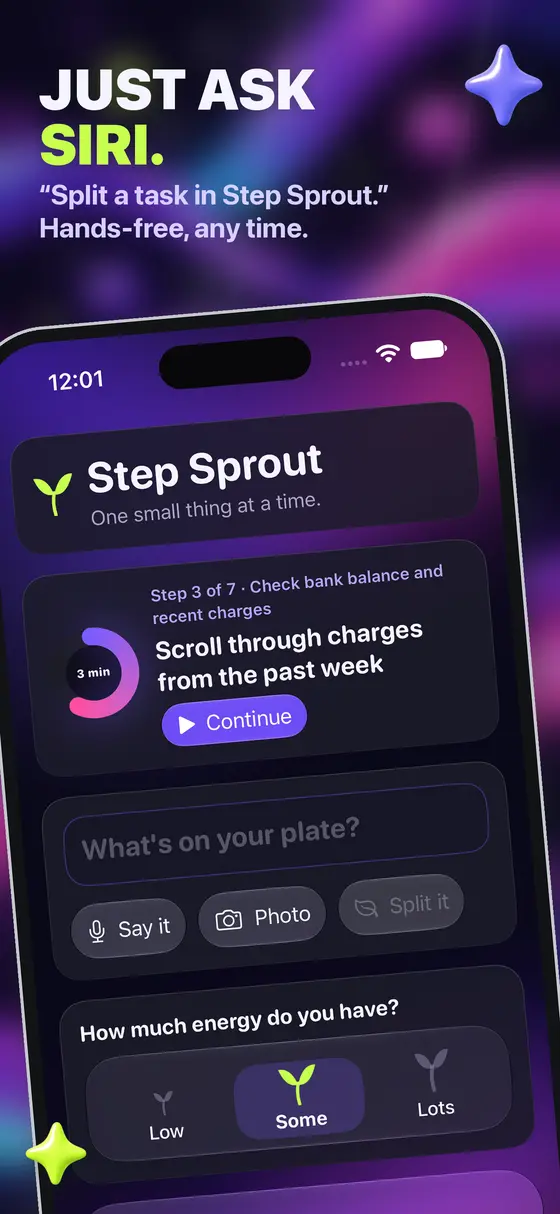
Just ask Siri.

Siri answers right away, without opening the app. Every action also works from Shortcuts and Spotlight, and controls put “Next step” and “Just start” in Control Center or on the Action button.

  • “Split a task in Step Sprout”Say the task and get tiny steps, the first one 2 minutes or less.
  • “What's my next step in Step Sprout?”Hear only the step you're on.
  • “I'm done with this step in Step Sprout”Mark it done and move on.
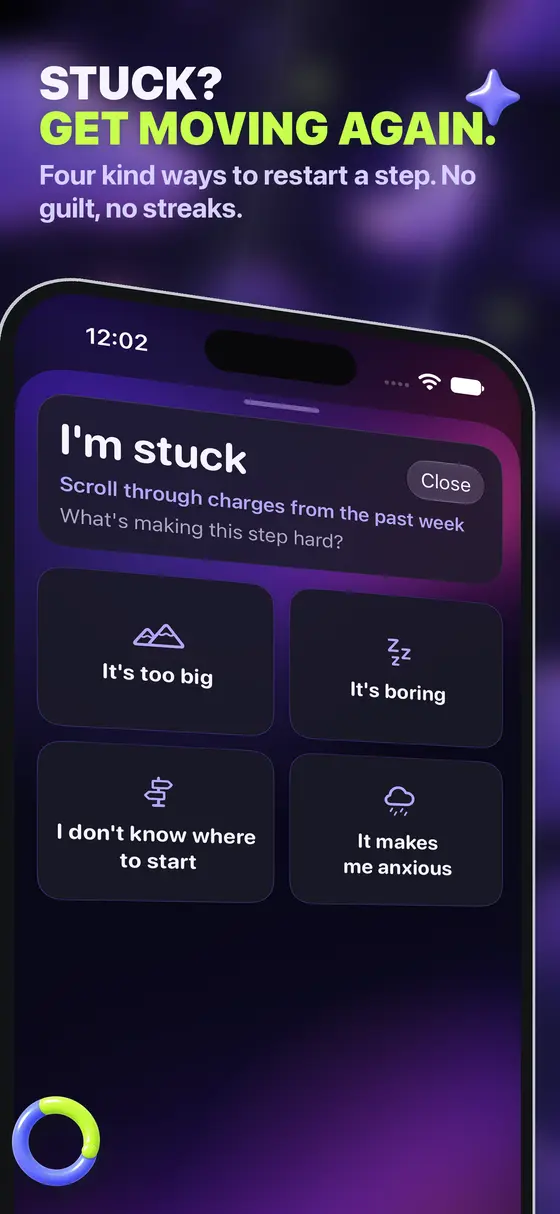
  • “I'm stuck in Step Sprout”Say why, and the step changes to match.
  • “Brain dump in Step Sprout”Say everything on your mind; it becomes separate tasks.
  • “Just start in Step Sprout”Only the tiniest first step, with a 2-minute disc.
Split a task in Step Sprout
What task would you like to split?
Clear the kitchen counter
Done. Clear the kitchen counter is now 7 steps. The first one takes about 1 minute.
Add five minutes in Step Sprout
Added 5 minutes. 8 minutes left.

Illustration with Step Sprout's real Siri phrases and answers.

From seed to steps

Split it
small.

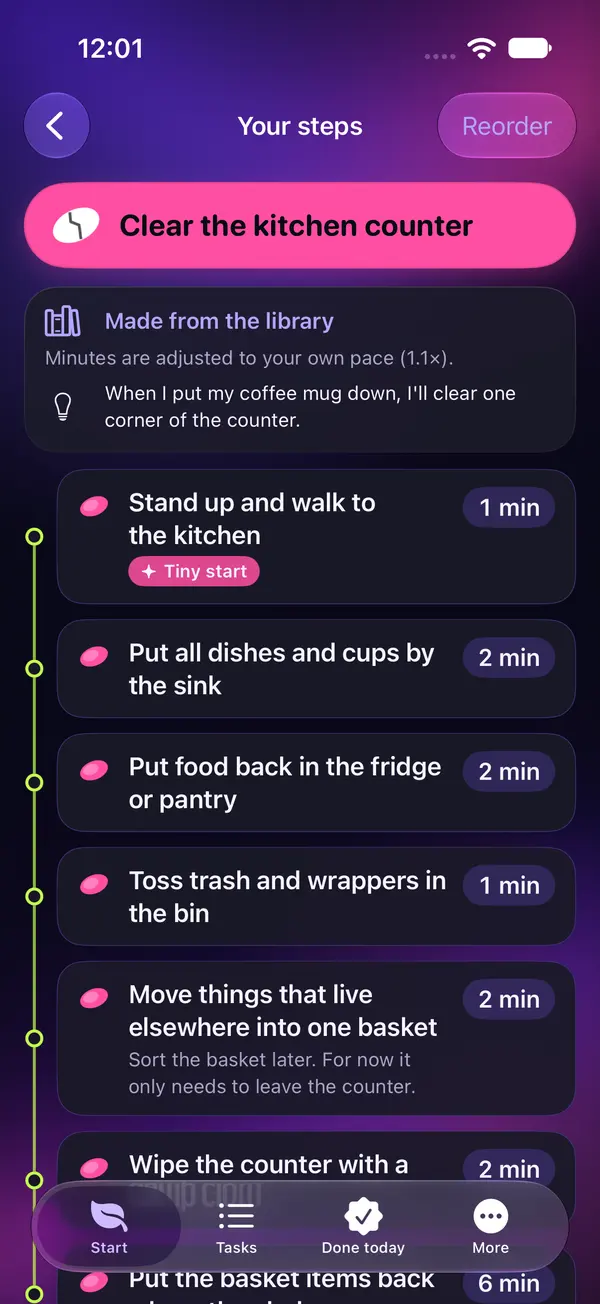
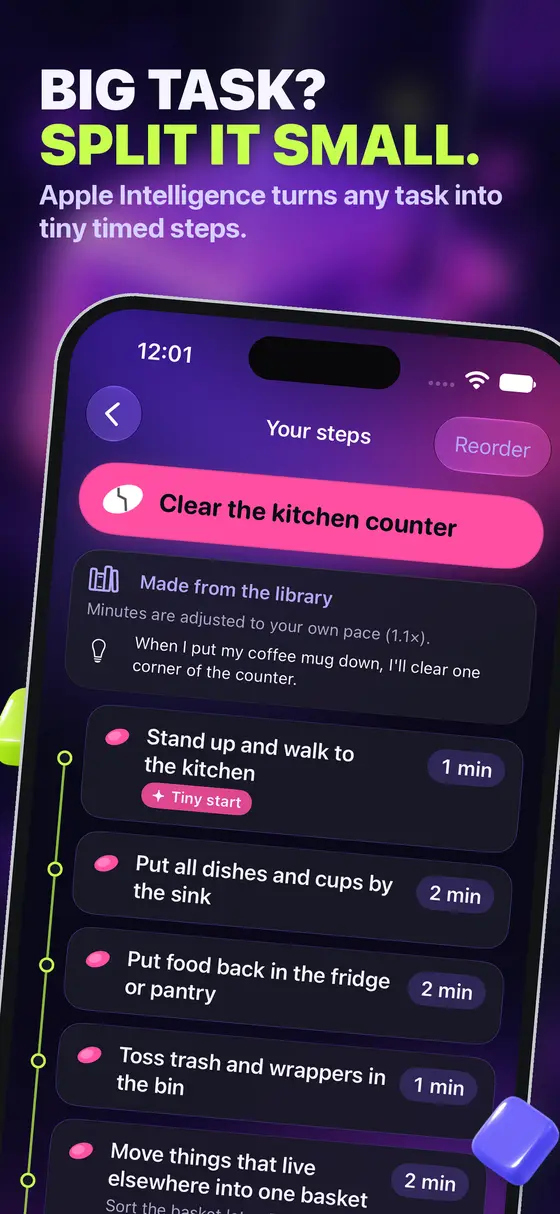
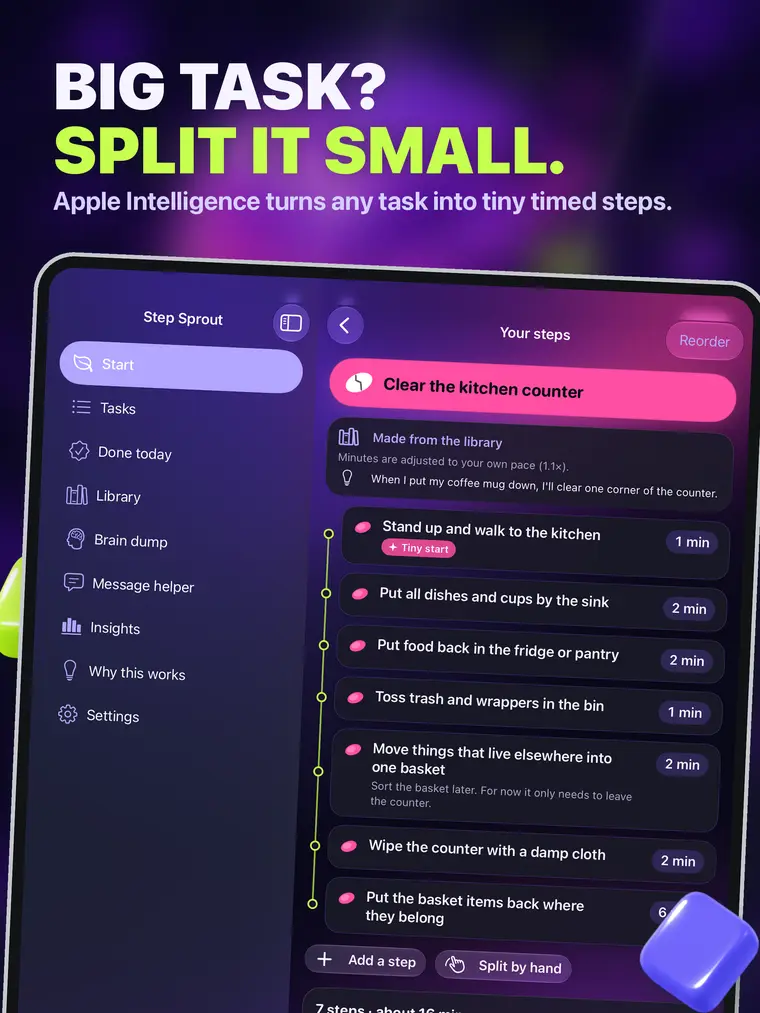
Type it, say it or snap a photo. Pick your energy, Low, Some or Lots, and get small steps with minutes on each. The first step is a tiny start of 2 minutes or less.

  • Split any step smallerStill too big? Split that one step again.
  • Split from a photoA messy room or a letter becomes steps, where Apple Intelligence can read images.
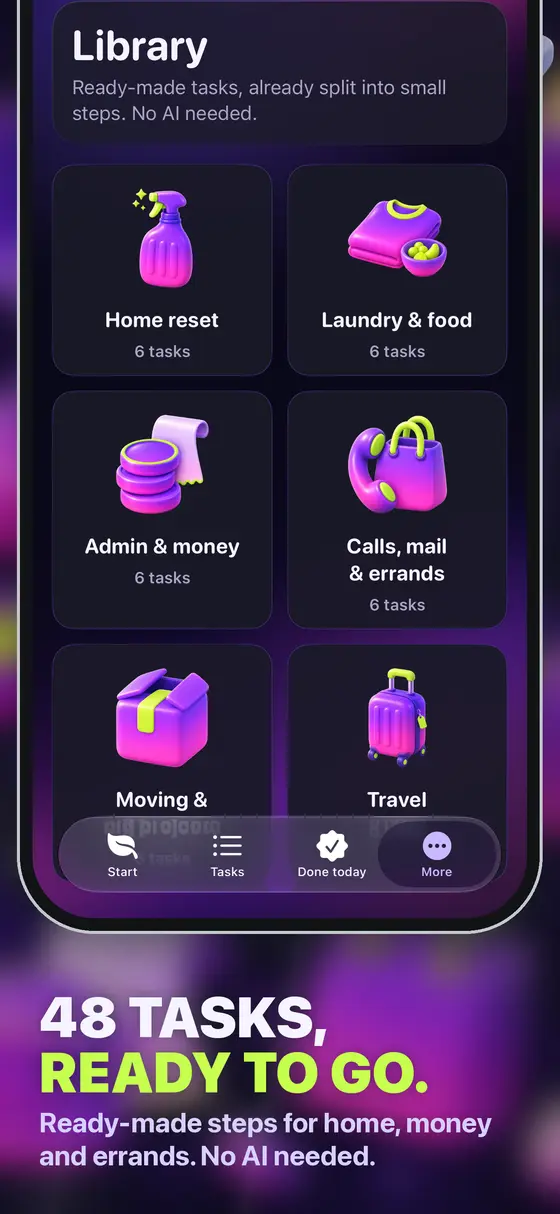
  • Works without AI tooPick from 48 ready-made tasks or split by hand.
Clear the kitchen counter
LowSomeLots
  1. Stand up and walk to the kitchen
    Tiny start
    1 min
  2. Put all dishes and cups by the sink2 min
  3. Put food back in the fridge or pantry2 min
  4. Toss trash and wrappers in the bin1 min
  5. Move things that live elsewhere into one basket2 min

Illustration with the real steps of the library task “Clear the kitchen counter”.

Focus

One step.
One ring.

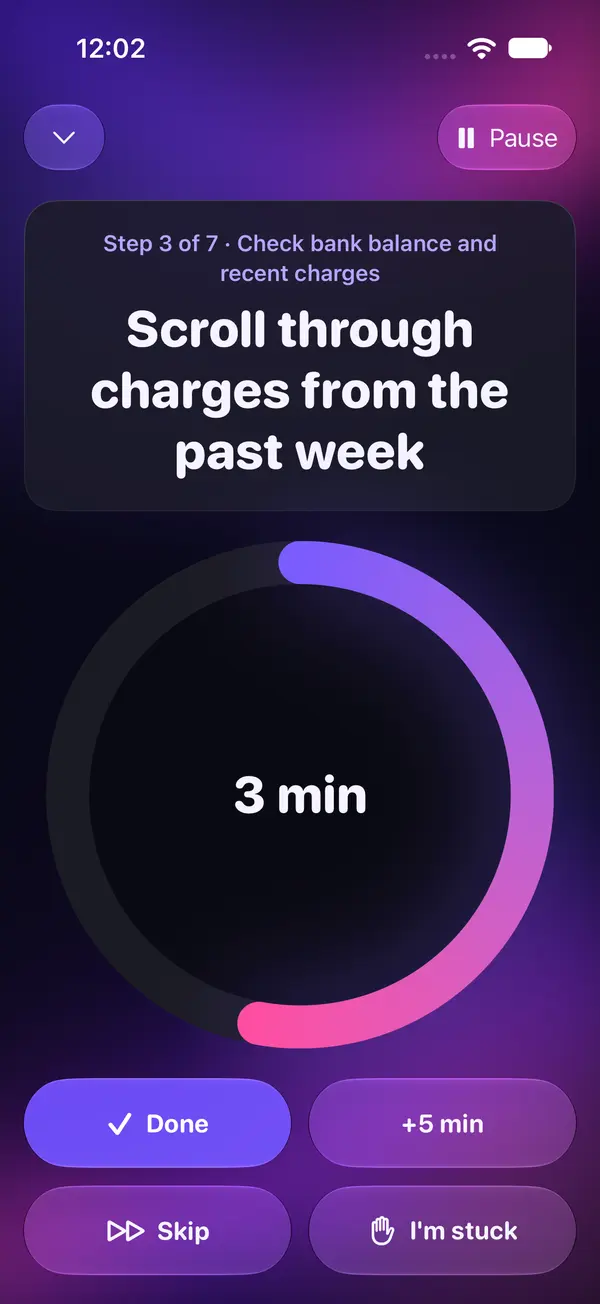
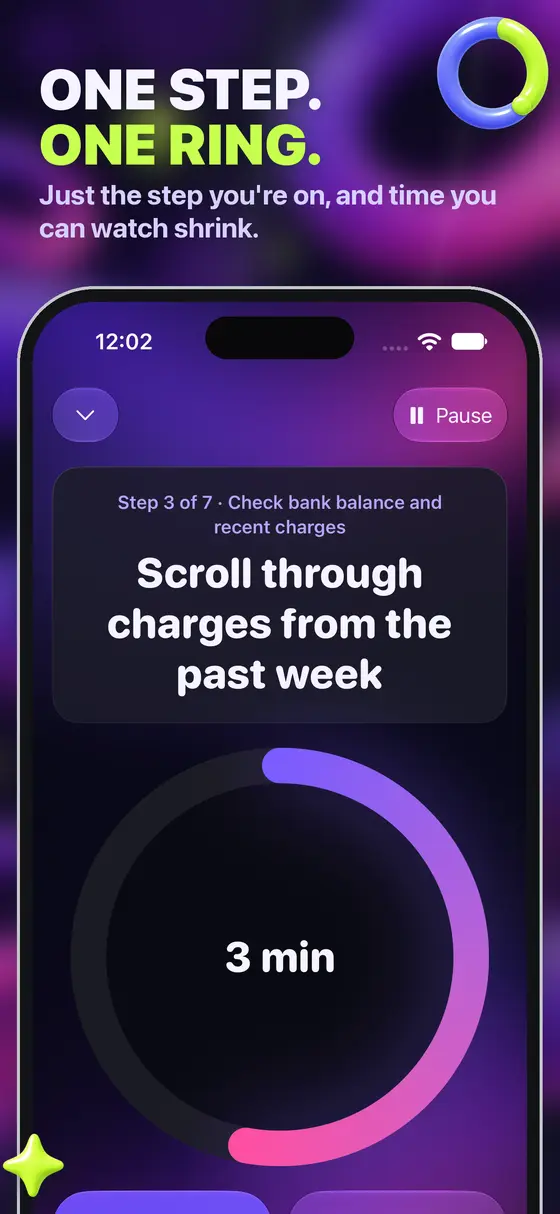
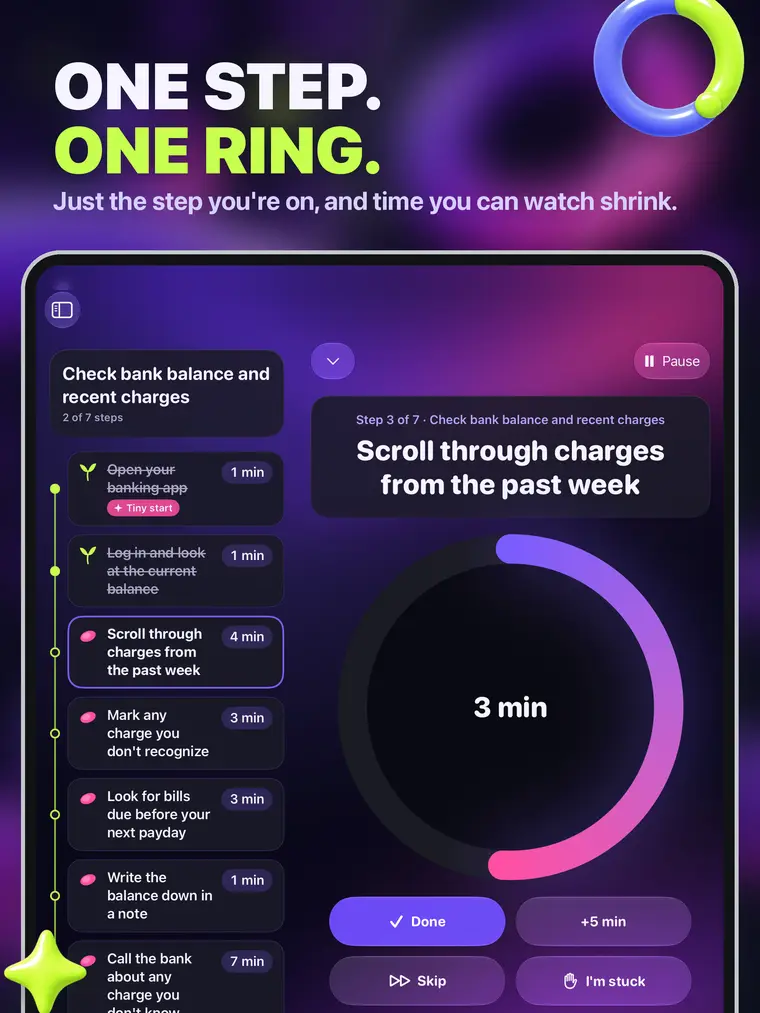
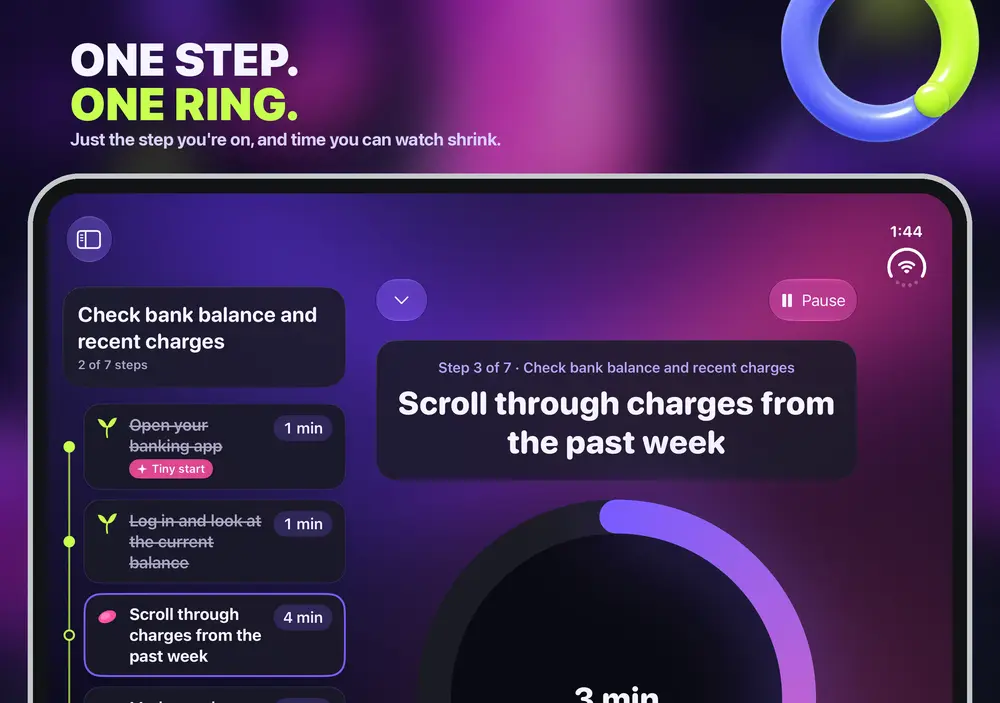
Only the current step, large, with a shrinking timer disc you can watch, or a gentle count-up if you prefer. Tap the disc to pause. Done, +5 min, Skip and I'm stuck are always one tap away.

  • Just startOne tap shows only the tiniest first step with a 2-minute disc.
  • Running late is fineAdd five minutes. No red, no alarms, no guilt.
Step 3 of 7 · Check bank balance and recent charges

Scroll through charges from the past week

3 min

Illustration of the Focus screen. The disc runs faster here than in the app.

Apple Intelligence, when you want it

Help that fits
your energy.

Apple Intelligence runs on your device or with Private Cloud Compute. It's optional: without it, everything still works with a library of ready-made tasks, splitting by hand, a built-in answer bank and tone templates. You can turn the AI features off in Settings.

  • I'm stuckToo big, boring, don't know where to start, or it makes you anxious: the step changes to match.
  • Brain dumpSay everything on your mind and get separate tasks sorted into Now, Today and Someday.
  • I have some minutesIt picks open steps that fit your time and energy.
  • Message helperRewrite a message more formal, softer, shorter, clearer or firmer but kind, or check how a message you got might sound. Also from the Share sheet.
I'm stuckApple Intelligence
It's too bigIt's boringI don't know where to startIt makes me anxious

Example with the app's built-in answers for “It's too big”.
Brain dump“I need to tidy the kitchen, reply to Sam, and plan meals for next week…”
Now
Tidy the kitchen
Today
Reply to Sam
Someday
Plan meals for next week
Illustration. AI results can vary; you can move any task.

Live Activity, widgets & controls

Your step,
live.

Lock your iPhone and the step stays with you. A Live Activity keeps it on the Lock Screen and in the Dynamic Island with Done, +5 min and I'm stuck buttons; tap the disc to pause.

  • Lock Screen and Dynamic IslandThe step, its disc and the buttons, right there.
  • WidgetsYour step on the Home Screen and the Lock Screen.
  • Controls“Next step” and “Just start” in Control Center or on the Action button.

Illustration of the Live Activity on the Lock Screen.

48 ready-made tasks

Ready when you are.

Eight categories of tasks already split into small steps. They work with no AI at all, and a low-energy version is there when you need it.

Home reset
Laundry & food
Admin & money
Calls, mail & errands
Moving & big projects
Travel
Self-care basics
Work & study

Everything in one calm place

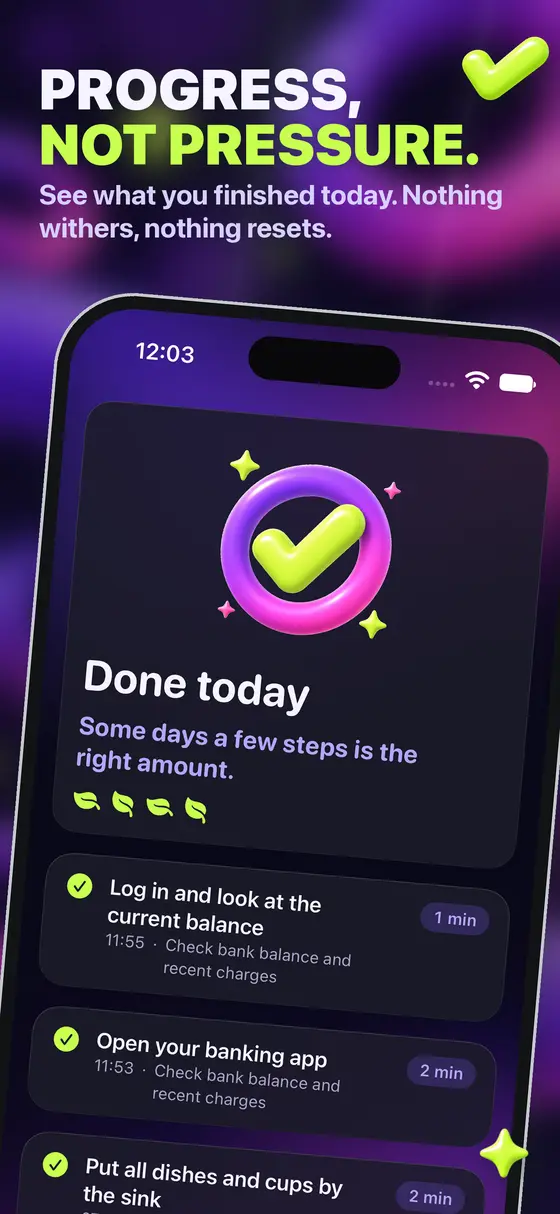
Progress,
not pressure.

Done today

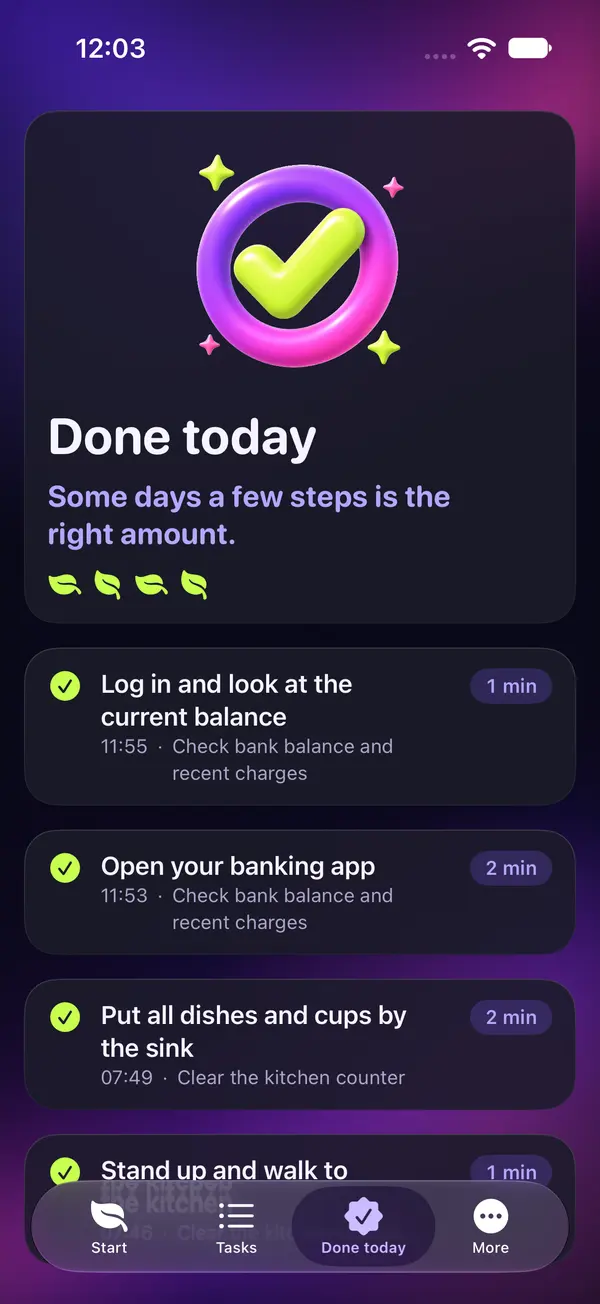
A kind list of what you did. No streaks, no scores, nothing to lose.

Estimates that learn

Estimate vs. reality shows how long your steps really take, by category, and uses your own pace for the next estimates.

How long will it take?

Ask Siri or check the app for an estimate of the whole task.

Now, Today, Someday

Drag tasks between three simple buckets.

Why this works

10 short cards explain the research behind each tool, with sources and how strong the evidence is.

iPhone and iPad

Designed for both, with private iCloud sync between your devices.

Private by design

Your tasks stay yours.

Your tasks stay on your devices and in your own private iCloud. We never receive them. No accounts, analytics, ads or tracking. Optional Apple Intelligence requests may be processed by Apple to answer them.

No accountOpen it and start
On your devicesAnd your own iCloud
No trackingNo analytics
No adsEver

One price. Yours to keep.

$6.99USD

Pay once. No subscription. Other countries see their local price.

  • Every feature
  • No subscription
  • No in-app purchases
  • iPhone & iPad
Get it on the App Store

Questions

Good to know.

Who is Step Sprout for?

Adults with ADHD and anyone who freezes before starting a task. It is a planning tool, not a medical device: it does not diagnose or treat ADHD or any other condition.

Do I need Apple Intelligence?

No. Apple Intelligence runs on your device or with Private Cloud Compute when it's available. Without it, everything still works: 48 ready-made tasks, splitting by hand, a built-in answer bank for I'm stuck and tone templates for messages. You can turn the AI features off in Settings.

Which Siri phrases can I use?

“Split a task in Step Sprout”, “What's my next step in Step Sprout?”, “I'm done with this step in Step Sprout”, “I'm stuck in Step Sprout”, “Add five minutes in Step Sprout”, “Brain dump in Step Sprout”, “I have a few minutes in Step Sprout”, “How long will my task take in Step Sprout?”, “Start a ready-made task in Step Sprout” and “Just start in Step Sprout”. They're also in the Shortcuts app.

Are there streaks or scores?

No. Done today is a kind list of what you finished. Nothing withers and nothing resets.

Does it sync between my iPhone and iPad?

Yes, through your own private iCloud. We never receive your tasks.

Is it a subscription?

No. You pay $6.99 USD once and get every feature, with no in-app purchases.
Support

We're here to help.

Questions, problems or ideas: write to deg.leon.2024@gmail.com. Please include the app version and your device, and avoid sending health or other sensitive personal information.

Documents

Privacy PolicyEnglish
Terms of UseEnglish
License (EULA)Apple Standard EULA

Effective 2026-11-19. Developer: Daniel Esteban Gonzalez, Argentina.

Quick message

Opens your own mail app, addressed to us. Nothing is sent or stored by this page.

Step Sprout is a planning tool, not a medical device. It does not diagnose or treat ADHD or any other condition. If you're in crisis, call or text 988 (US) or your local emergency number.