Pumpwise: Baby Feeding TrackerFor iPhone, iPad and iPhone Duo
Every drop, counted.
A pumping and baby feeding tracker built around Siri, Apple Intelligence and Live Activities. Start pumping by voice, switch sides from the Lock Screen and get your day in a few calm sentences.
$5 once. No subscription, no in-app purchases, no account, no ads.
30+ Siri actionsApple IntelligenceLive ActivityStays on your iPhone
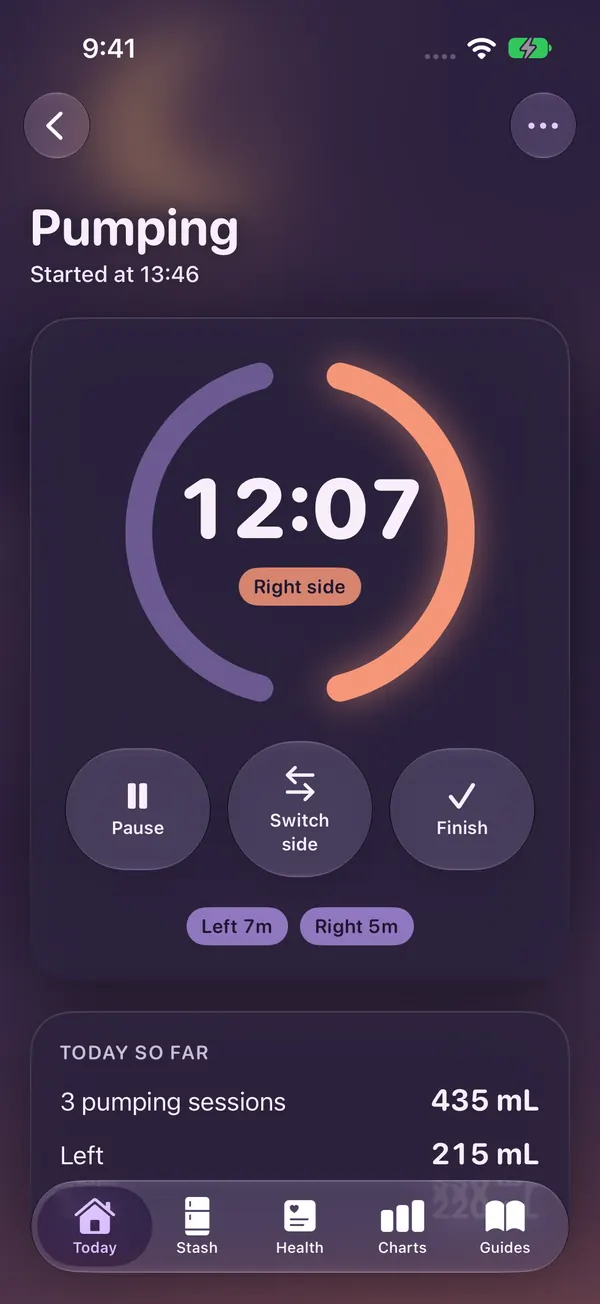
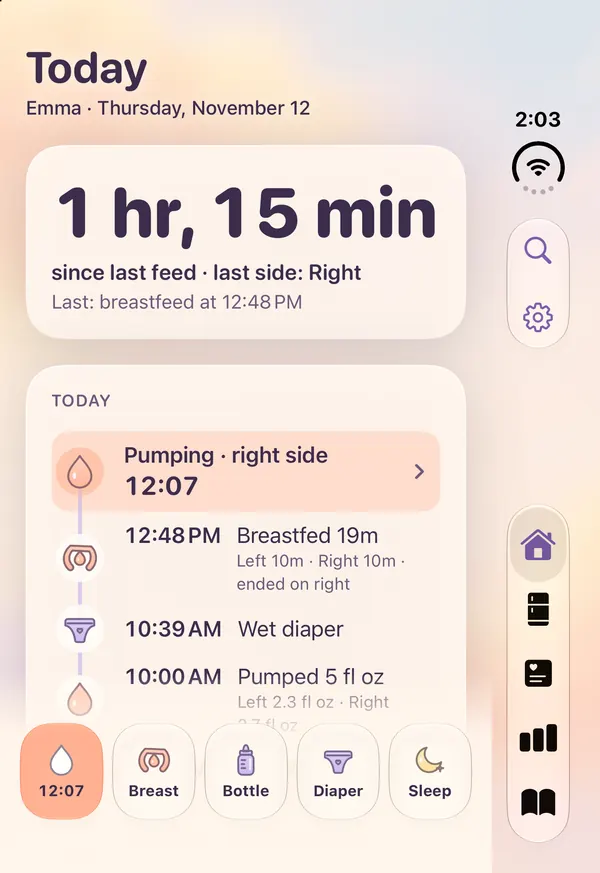
Pumping · Right12:07
Siri“Start pumping in Pumpwise”
Start pumping by voiceSwitch sides from the Lock ScreenYour day in wordsOldest bag firstStorage guides with sourcesYour week in glassesNight modeFive languagesPrivate by designStart pumping by voiceSwitch sides from the Lock ScreenYour day in wordsOldest bag firstStorage guides with sourcesYour week in glassesNight modeFive languagesPrivate by design
Siri, Shortcuts & Spotlight
Just ask Siri.
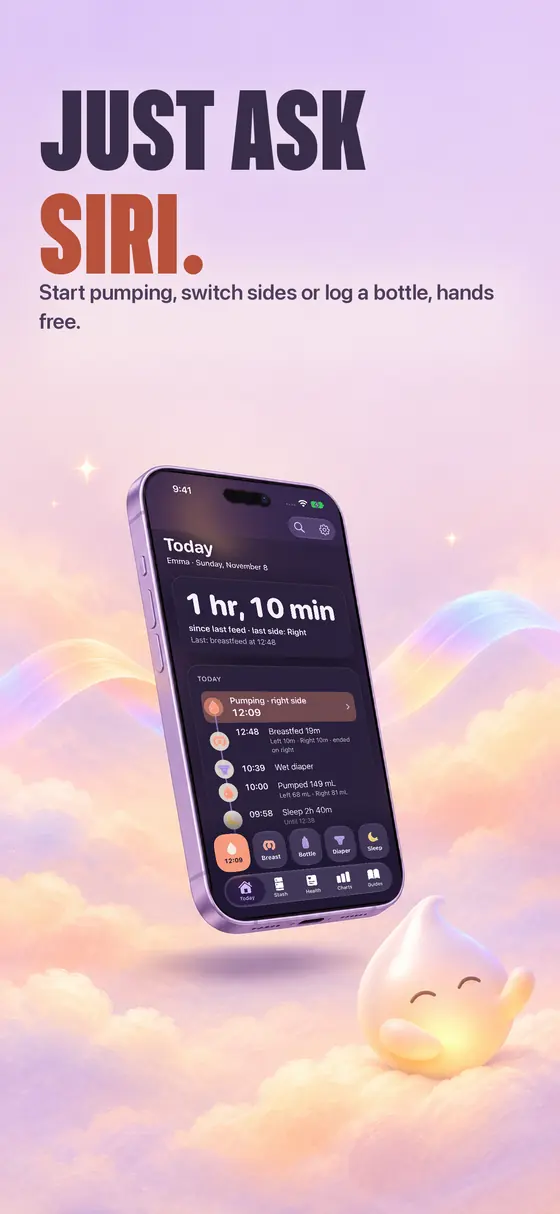
More than 30 actions work with Siri, Shortcuts and Spotlight, from logging a bottle or a diaper to storing milk, adding an appointment or exporting a PDF report. Most run without opening the app.
“Start pumping in Pumpwise”The timer starts and follows you to the Lock Screen.
“Switch sides in Pumpwise”Hands busy? Your voice is enough.
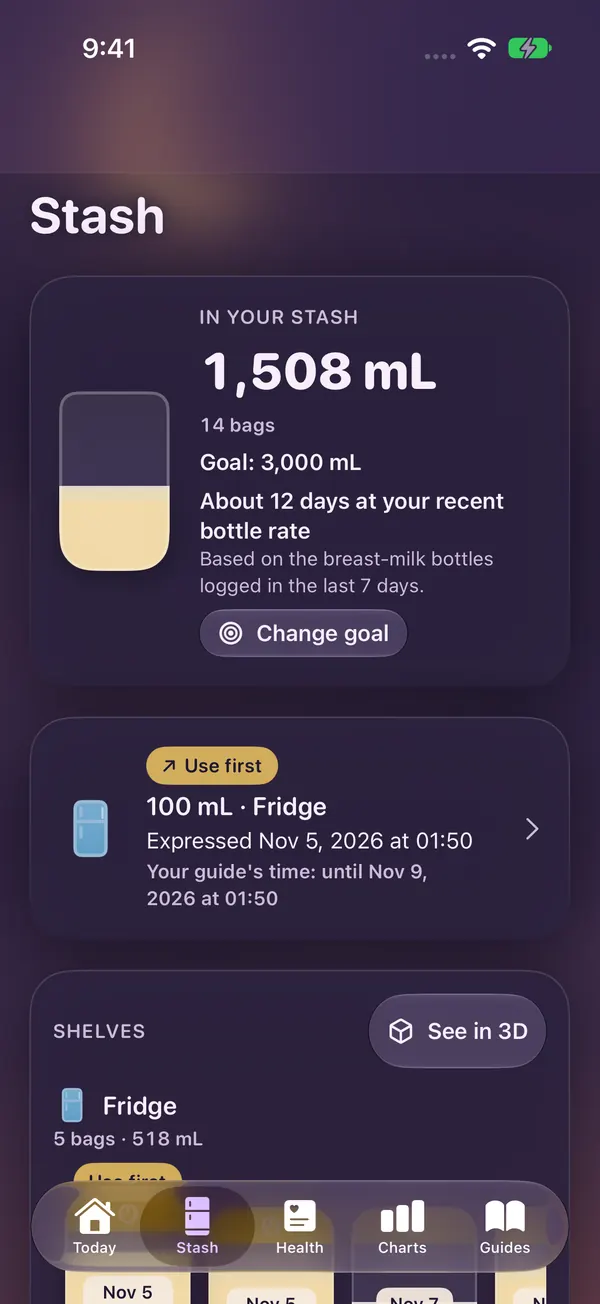
“How much milk is in my stash in Pumpwise?”Your stash total, out loud.
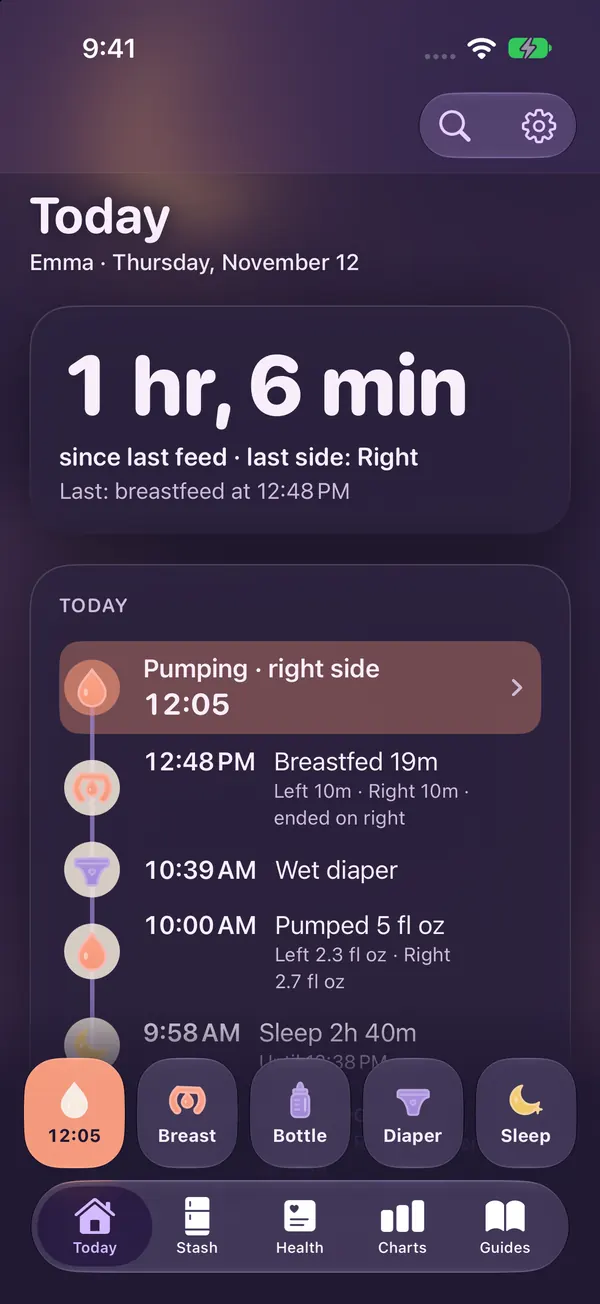
“When was the last feeding in Pumpwise?”For the 3 a.m. question.
“Summarize the last day in Pumpwise”Your day, written for you.
Start pumping in Pumpwise
Pumping started at 1:46 PM.
Switch sides in Pumpwise
Switched sides. Now: right.
How much milk is in my stash in Pumpwise?
Your stash has 1,508 mL.
Illustration with the sample data from the screenshots.
Apple Intelligence, when you want it
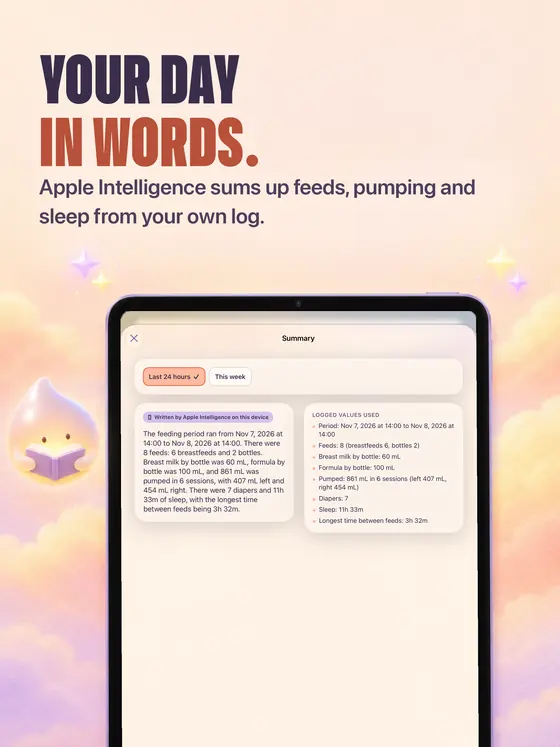
Your day in words.
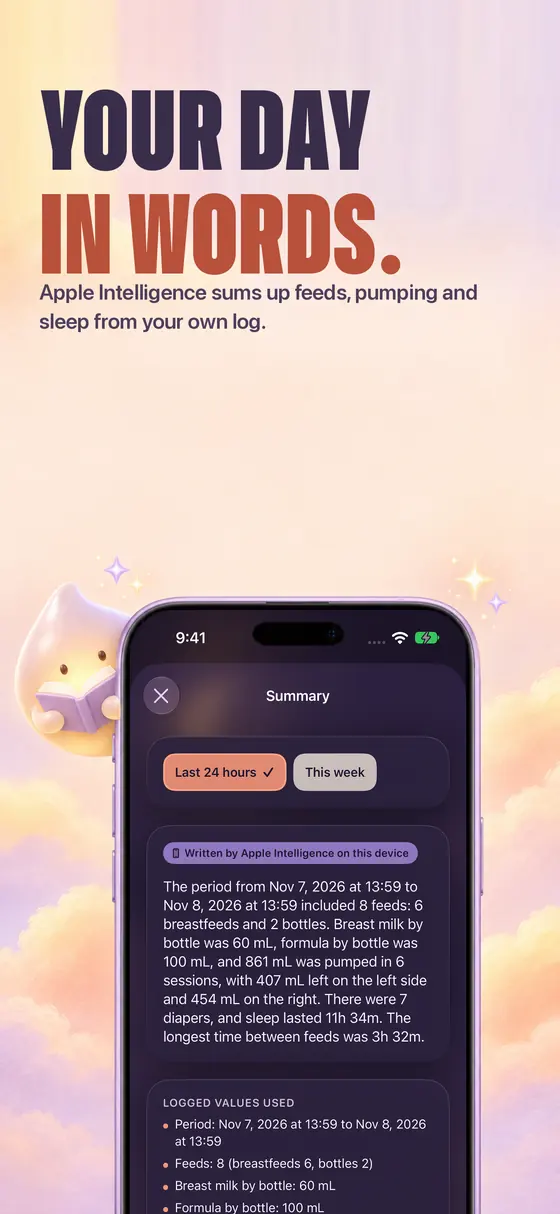
Apple Intelligence runs on your device or with Private Cloud Compute. It only uses what you logged, and each result says who wrote it.
Log with a sentence“pumped 90 left and 70 right at 3” becomes an entry you check before saving.
Summary and handoff noteYour day in plain words, or a short note for whoever takes over.
Today's tipPicked from Pumpwise's own guides, always with its source.
Prepare the visitYour entries since the last appointment, plus your own questions.
Ask your log“How much did she drink last night?”
It is optional: turn it off and every feature still works with Pumpwise's own calculation.
Summary · last 24 hoursApple Intelligence
Illustration based on the sample summary in the screenshots.
You type: pumped 90 left and 70 right at 3
💧 PumpingLeft 90 mLRight 70 mL🕒 3:00 PM✓ Check, then save
Live Activity, widgets & controls
Your session, live.
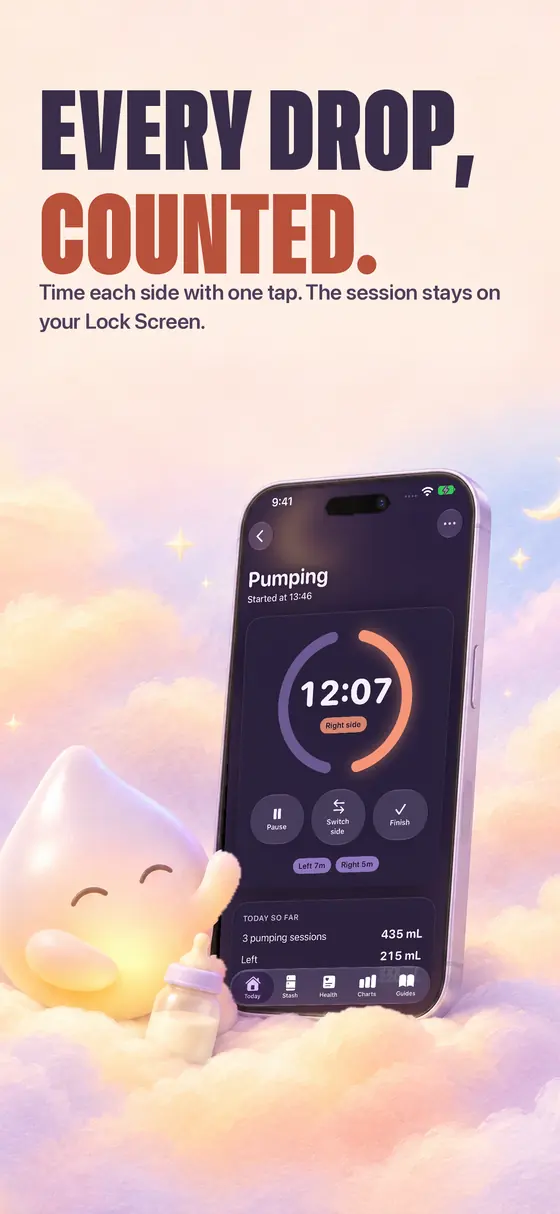
Pumping, breastfeeding and sleep run as a Live Activity on the Lock Screen and in the Dynamic Island, with Switch side, Pause and Finish right there.
Lock Screen and Dynamic IslandThe timer keeps running while your phone stays locked.
WidgetsThe last feed, your stash and what's next.
ControlsStart pumping or log a diaper in one tap.
Pumping12:07
9:41
Thursday, November 12
Pumping · EmmaRight side
12:07
Illustration of the Live Activity. Try the buttons.
Pumping, stash & feeds
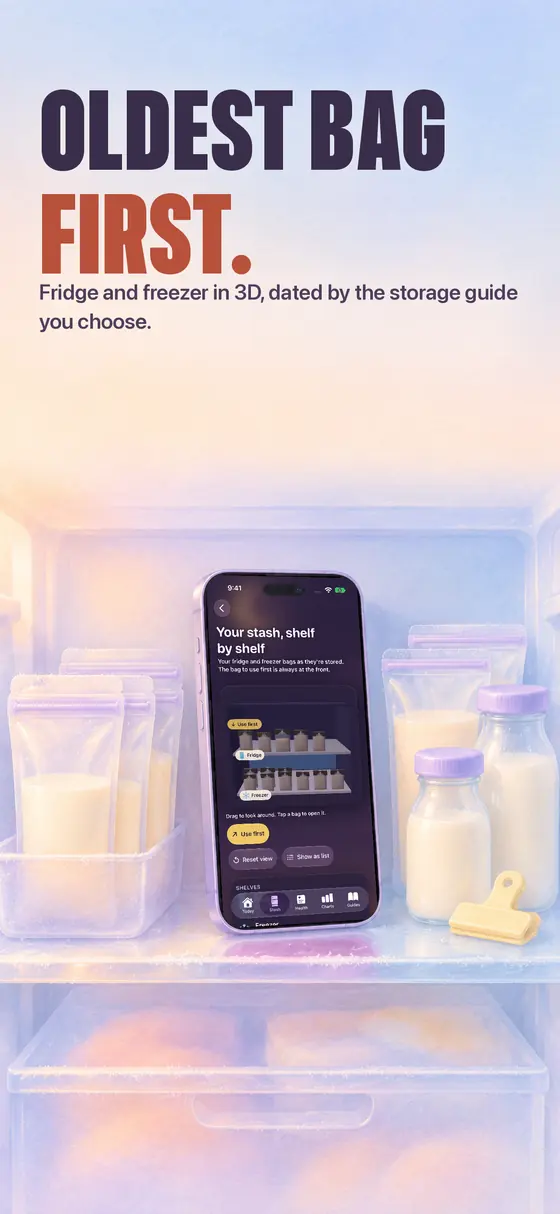
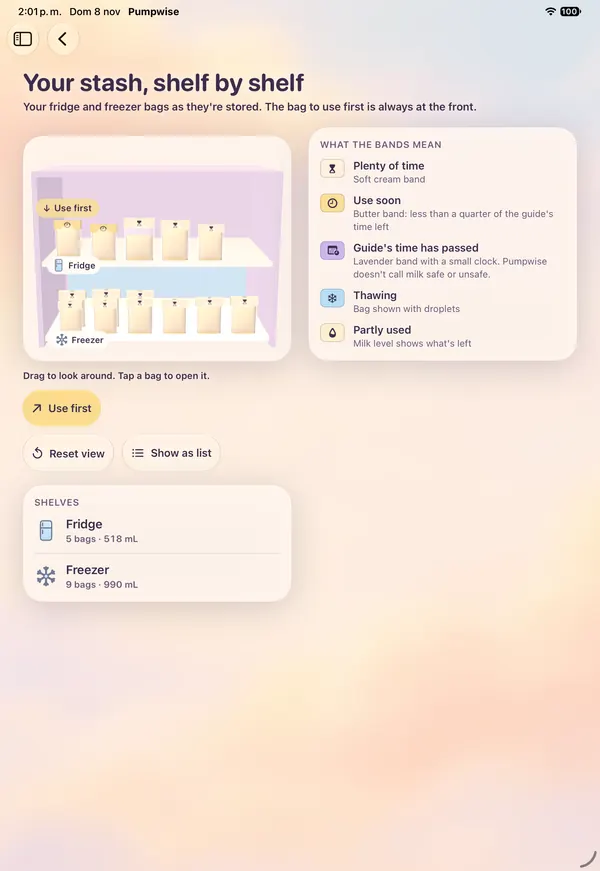
Oldest bag first.
A timer for left, right or both, and a liquid amount picker in mL or oz that tilts with your phone. Then store the milk.
Fridge, freezer or deep freezerEach bag timed by the storage guide you choose. Thaw, use part of a bag, undo.
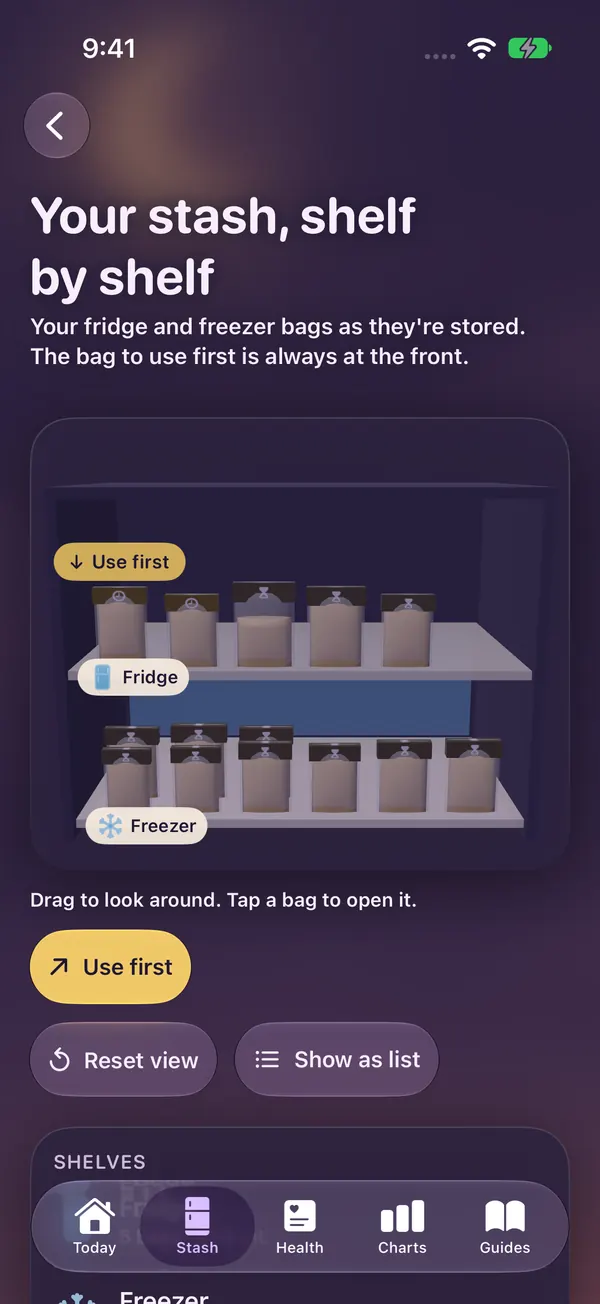
Your stash in a 3D freezerShelf by shelf, with the bag to use first always at the front. An optional goal and days of stash at your current pace.
Every feedBreastfeeding with the last side in view, bottles taken from the bag to use first, formula, diapers and sleep.
↗ Use first100 mL · FridgeExpressed Nov 5 · Your guide's time: until Nov 9
Illustration from the sample data.
Storage guides with their sources
Your bags follow: CDC (United States), with its own times and conditions.
Compare the guides side by side; Pumpwise tells you when a bag passes your guide's time. Plus pump care, paced bottle feeding, hunger cues and tips, each with its source.
Health & reports
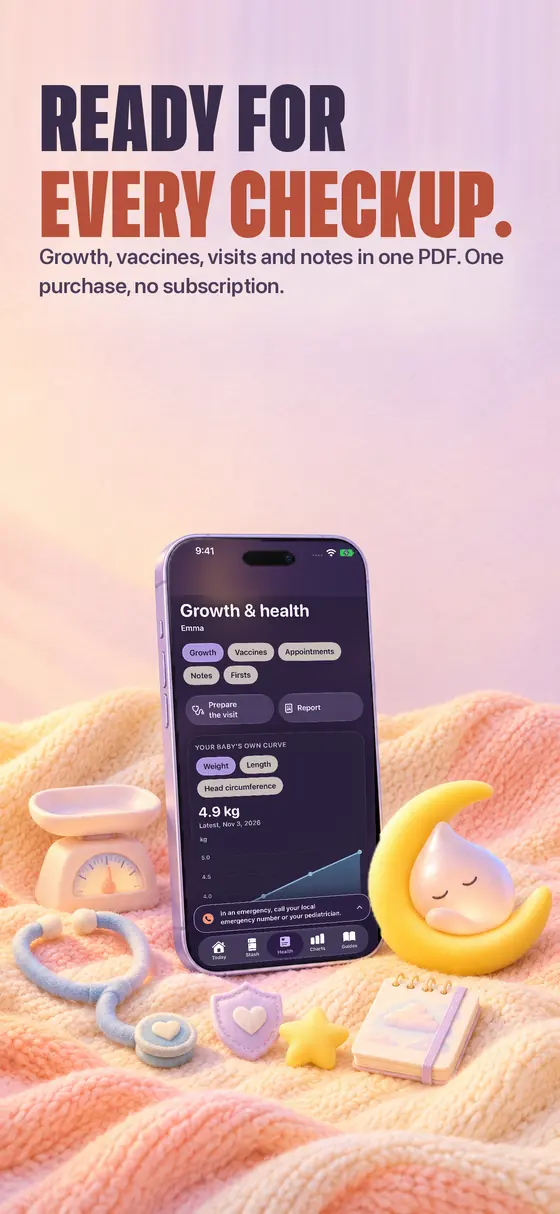
Ready for every checkup.
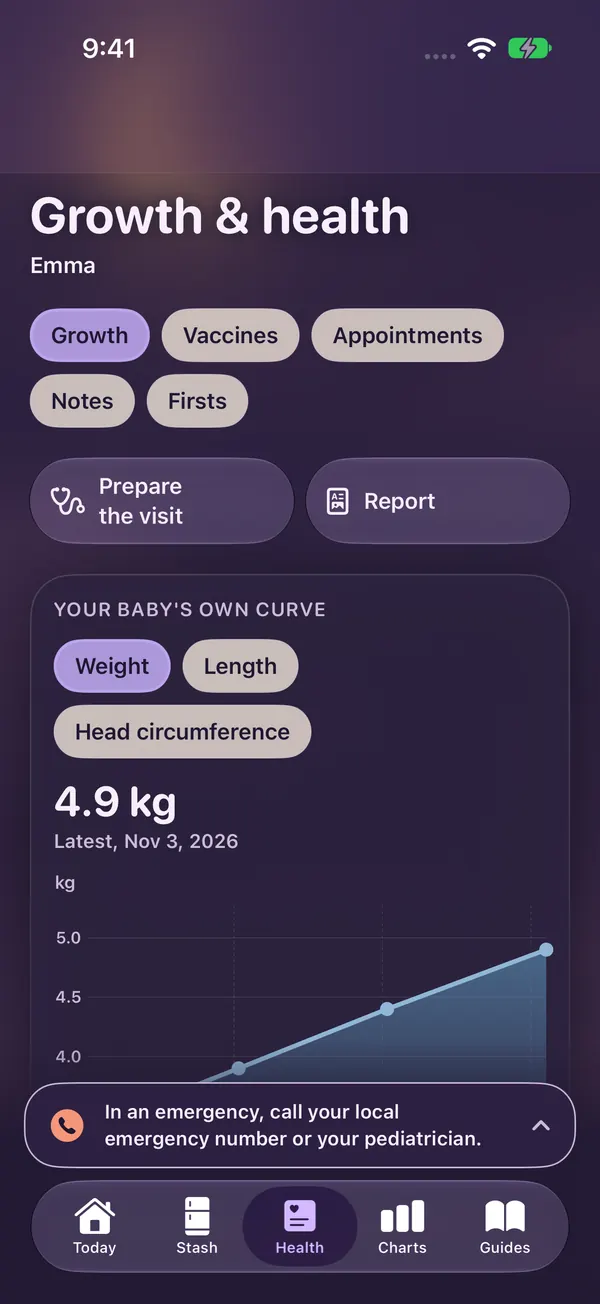
Everything your pediatrician may ask about, in one place, and one tap away from a PDF.
GrowthWeight, length and head circumference as your baby's own curve.
VaccinesWhat was given, with links to your country's official schedule.
Pediatrician appointmentsWith the questions you want to bring.
Health notes and firstsA note for a fever, and a diary of first moments.
PDF report or CSV filesShare it all with whoever needs it.
Pumpwise is a record-keeping tool. It does not diagnose or give medical or lactation advice. In an emergency, call your local emergency number or your pediatrician.
Charts & 3D
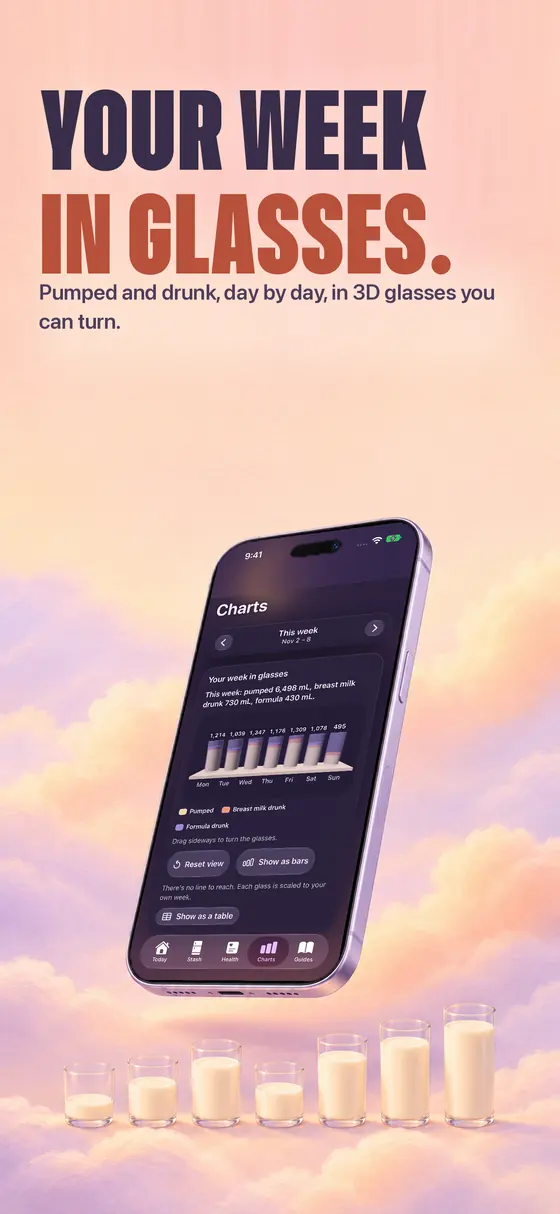
Your week in glasses.
Milk per day, each side, your 24-hour rhythm, time between feeds, sleep, diapers and stash, with liquid bars that sway as you tilt the phone.
3D glasses of milkPumped and drunk, day by day, in glasses you can turn.
Show as a tableEvery chart has its numbers written out.
Pumped this weekmL per day
1,214
Mon
1,039
Tue
1,347
Wed
1,176
Thu
1,309
Fri
1,078
Sat
495
Sun
Illustration with the sample week from the screenshots.
For night feeds and every screen
Made for the small hours.
Night mode
Darker, warmer colors and bigger buttons for night feeds.
iPhone, iPad & Duo
Designed for iPhone, iPad and both screens of iPhone Duo.
Twins welcome
Track more than one baby, each with their own log.
Widgets & controls
The last feed, your stash and what's next, without opening the app.
PDF & CSV
Share a report with your pediatrician or keep your own copy.
Five languages
English, Spanish, Japanese, German and Korean.
Take a look
On every screen.
iPadiPad · day colorsiPhone Duo
Private by design
Your log stays yours.
Your records stay on your iPhone. No account, analytics, ads or tracking. Optional Apple Intelligence requests may be processed by Apple to answer them; see the privacy policy.
No. Logging with a sentence, summaries, handoff notes, today's tip, preparing the visit and asking your log use Apple Intelligence when it is available and turned on. Turn it off and every feature still works with Pumpwise's own calculation. Each result says who wrote it.
Which Siri phrases can I use?
For example “Start pumping in Pumpwise”, “Switch sides in Pumpwise”, “How much milk is in my stash in Pumpwise?”, “When was the last feeding in Pumpwise?” and “Summarize the last day in Pumpwise”. More than 30 actions also appear in the Shortcuts app and Spotlight.
Where do the storage times come from?
From the guide you choose: the CDC, NHS, ABM, Germany's National Breastfeeding Committee, KDCA, Spain's Ministry of Health or Argentina's Ministry of Health. Each keeps its own times and conditions, with its source. Use-by labels are reminders based on that guide, not a guarantee about the milk.
Is this medical advice?
No. Pumpwise is a record-keeping tool. It does not diagnose or give medical or lactation advice; storage times come from the sources cited. Talk to your pediatrician about your baby's health.
Where is my data stored?
On your device. There is no account and no server of ours. You can share your log as a PDF report or CSV files whenever you want.
Is it a subscription?
No. You pay once and get every feature, with no in-app purchases.
Support
We're here to help.
Questions, problems or ideas: write to deg.leon.2024@gmail.com. Please include the app version and your device, and avoid sending sensitive personal or health information.
Effective 2026-11-05. Developer: Daniel Esteban Gonzalez, Argentina.
Quick message
Opens your own mail app, addressed to us. Nothing is sent or stored by this page.
Pumpwise is a record-keeping tool. It does not diagnose or give medical or lactation advice; storage times come from the sources cited. Talk to your pediatrician about your baby's health.